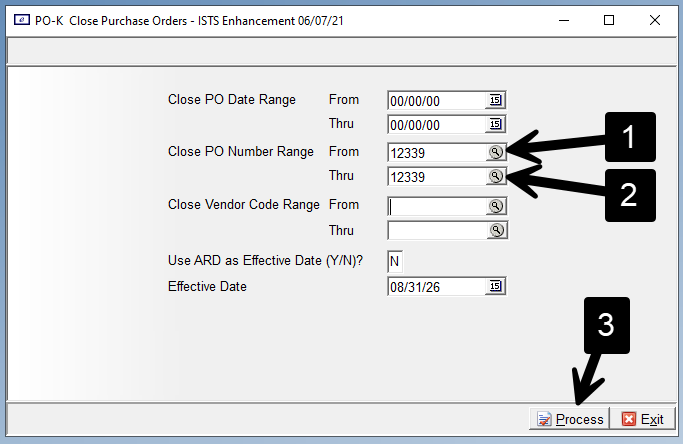
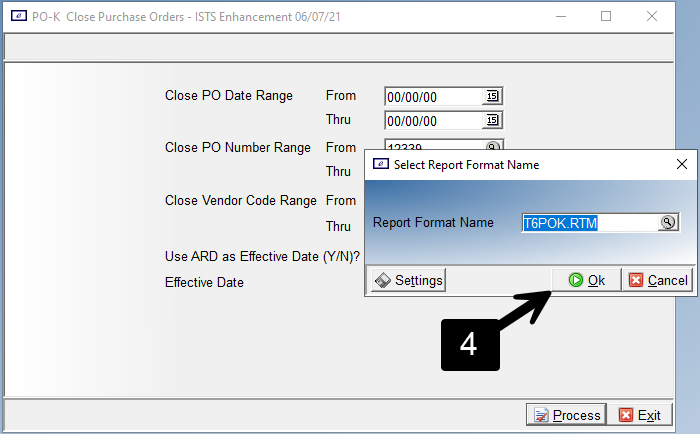
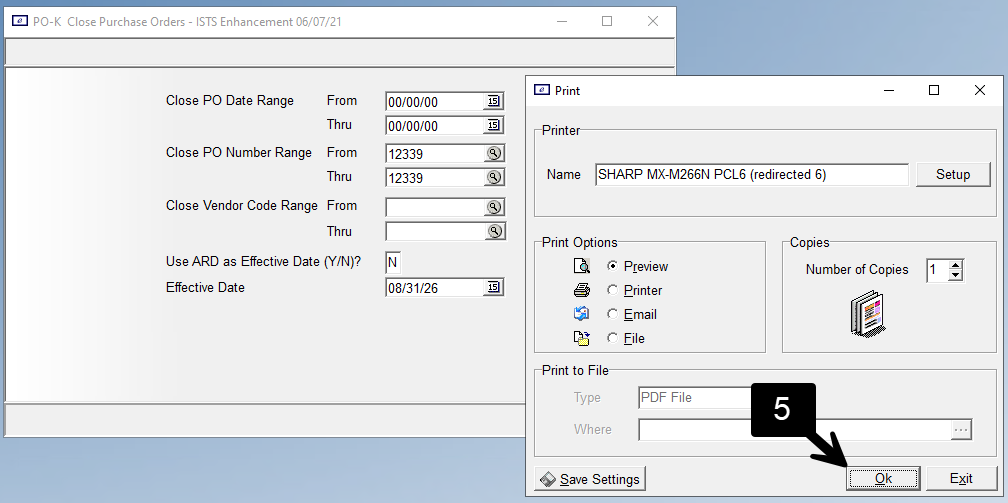
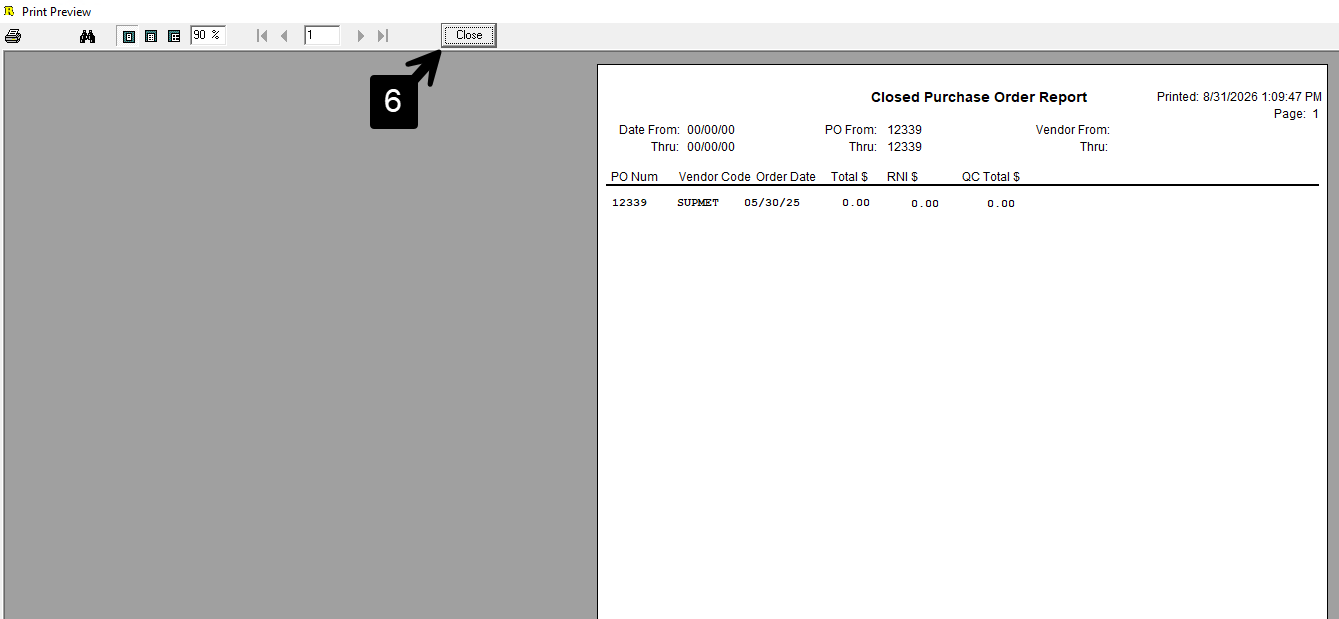
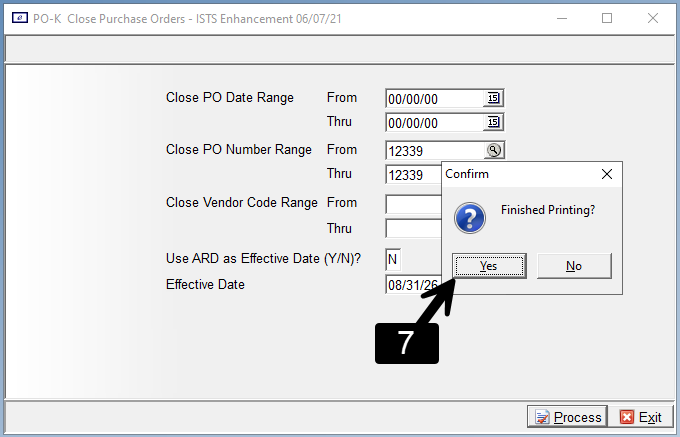
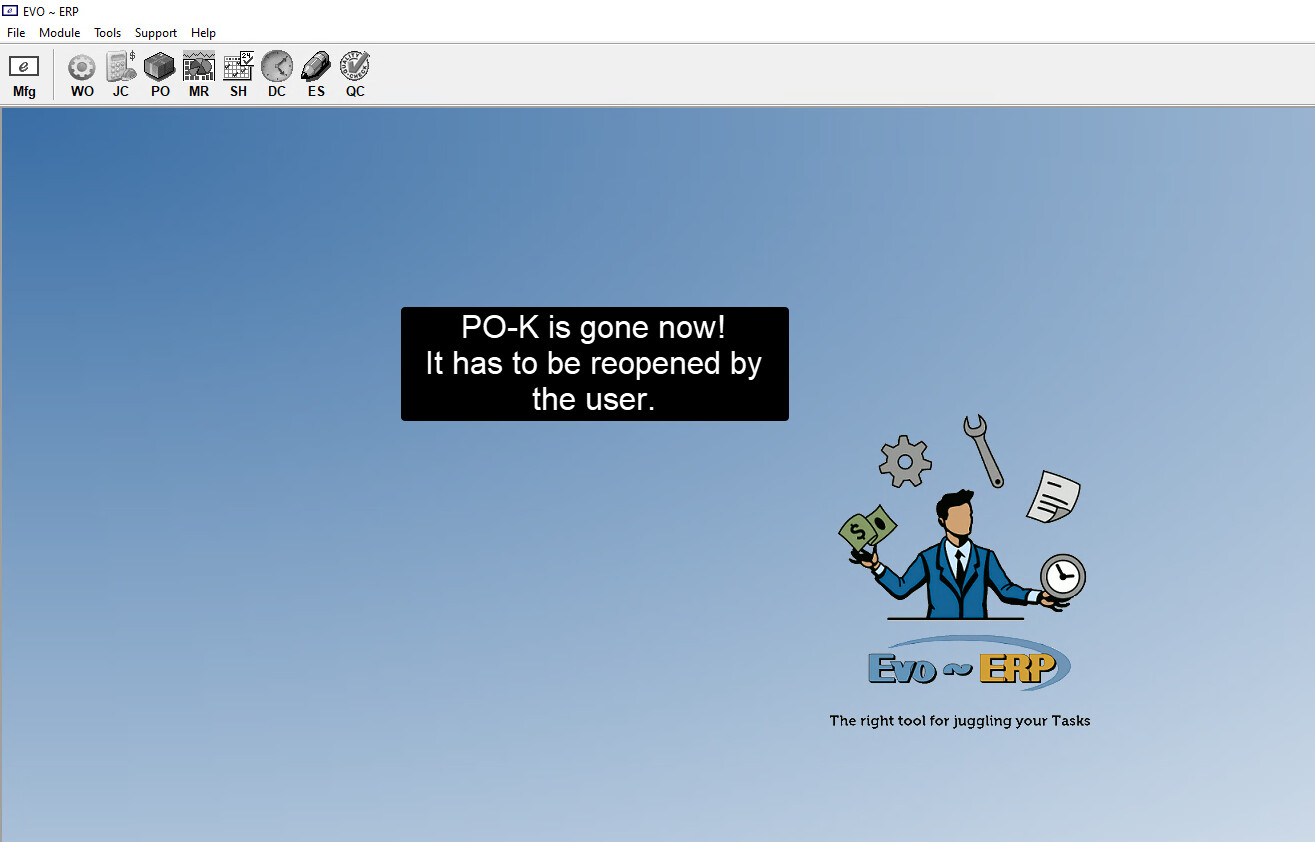
It would be quite nice after following the steps in the pictures below that the PO-K program would not have to be reopened by the user. The reason being, if they have more than one purchase order to cancel and they do not have sequential numbers - reopening PO-K each time a PO is cancelled is quite cumbersome and a distraction to the task at hand.
A good example of what I’m requesting for is how IN-B operates. After hitting “save” at the bottom, the screen just blanks out so the user can continue entering inventory without having to reopen the program. If this is not possible, then perhaps after operation 7 (pictured below) is pressed, perhaps it could immediately then reopen PO-K.
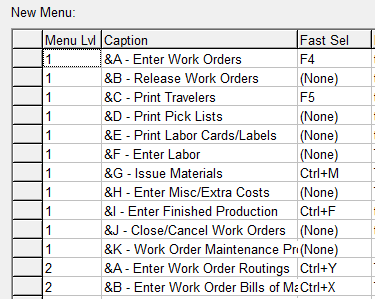
However, there is a (pretty) good workaround - shortcut keys. I have lots of them - every F-key and Ctrl+Letter, so I guess 38? And there is the option for a lot more.
In some ways it’s better than the screen just resetting, because you can use the shortcut anytime and from anywhere in Evo (if you’re on the menu, not in a program).
Here are just a few of mine that happen to cluster in one area:
I can have programming take a look at both PO-K and SO-N to stay open after processing. But as the old saying goes, you can please all of the people some of the time. If we change it somebody will complain about having to close the screen. Maybe a checkbox on the screen to stay open after processing.